Evidence and accreditation reports
Where assessment results come from, and how they become attainment against your benchmark.
Most evidence arrives on its own. Faculty build assessments with Lecon inside your LMS and grade students against the program’s rubric there, and the rubric levels come back here as evidence for each program outcome. What no LMS graded can be recorded by hand.
Grading, and when it counts
- Marking is iterative, so grading does not post as it goes. Saving keeps a draft in Lecon; nothing reaches the gradebook and nothing counts as evidence yet.
- Finalise posts each score to the gradebook and counts it as the programs’ evidence. An instructor can finalise one student again after regrading them.
- Until a grade is finalised, no report shows it. Neither a student nor an accreditor should see the middle of someone’s marking.
Evidence
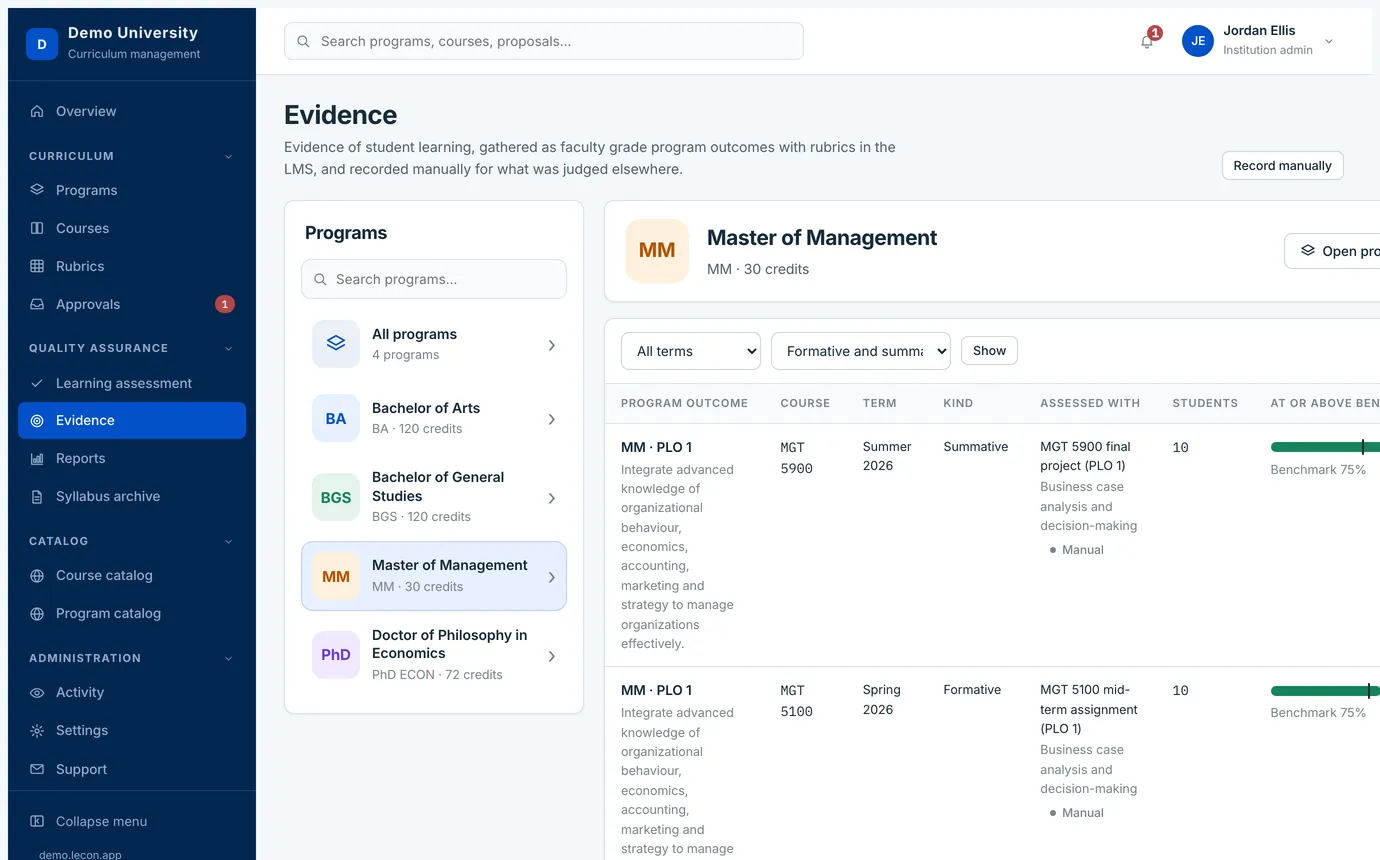
Quality assurance → Evidence lists what has come back, by program, by term, and by whether the assessment was formative or summative. Until faculty have finalised something, it says so plainly rather than showing an empty chart.
Evidence judged outside the LMS
Not everything is marked in a gradebook: a panel reviews a portfolio, a licensure exam comes back, a practicum is rated on paper. Record evidence manually takes those — the outcome, the course, the term, whether it is formative or summative, the rubric, and what each student reached. It is labelled as entered by hand and sits alongside the LMS line for the same outcome rather than replacing it.
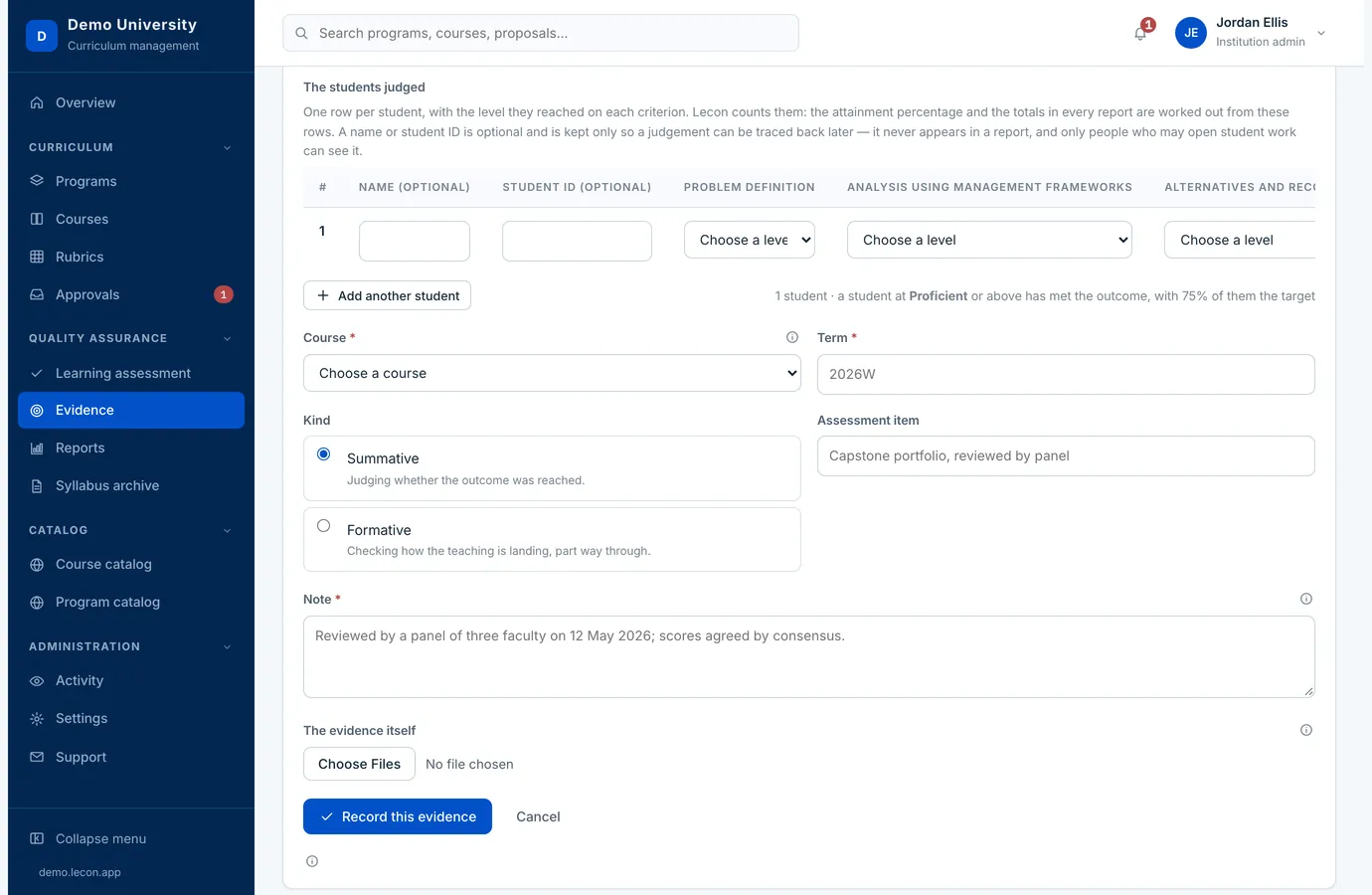
- List the students a panel judged, one row each, and choose the level they reached on every criterion. The page adds up what that means for the outcome as you go.
- The name and the student ID on each row are optional. They are kept so a judgement can be traced back later; they never appear in a report, and only people who may already open student work can see them.
- Evidence that came from your LMS never carries names at all — it arrives as counts.
Reports
Quality assurance → Reports is the whole reporting side in one place: the year’s figures across the top, then every report by category, with tabs to show one category at a time. Each report has a page of its own, where you set its filters and run it. Quick Reports runs a common one in a click, and a report you will want again can be saved with its filters — shared with everyone who may read reports, or kept to yourself.
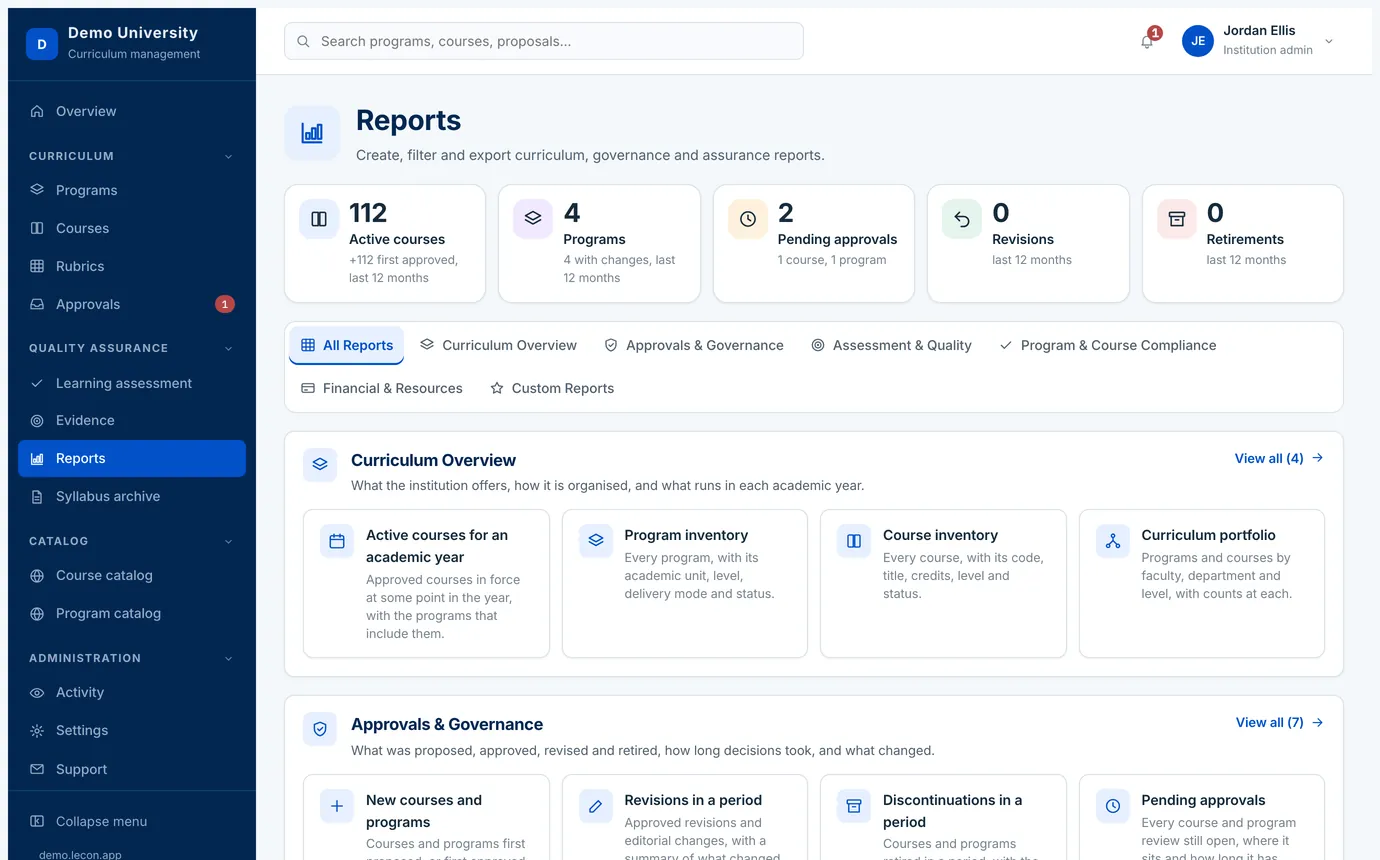
The reports sit in six groups, and every one of them exports as a spreadsheet or a CSV and has a print-friendly version — which is generally what goes into an accreditation submission.
- Curriculum Overview
- What the institution offers and how it is organised: the course and program inventories, the curriculum portfolio, and the courses active in a given academic year.
- Approvals & Governance
- What was proposed, approved, revised and retired, and how long decisions took: new courses and programs, revisions and discontinuations in a period, pending approvals, approval history and turnaround, and the comparison and impact of a curriculum change.
- Assessment & Quality
- How course outcomes build program outcomes and how students are meeting them: the CLO–PLO mapping matrix, PLO coverage and gap analysis, course assessment mapping, accreditation evidence coverage, and learning outcome achievement.
- Program & Course Compliance
- Program structure and credit audit, and which version of each course a given academic year runs.
- Financial & Resources
- Required textbooks and software, and a summary of what resources cost students.
- Custom Reports
- The configurations you have saved. A save can be shared with everyone or kept to yourself, and only whoever made a private one can delete it.
Learning outcome achievement
This is the report, under Assessment & Quality, that turns the evidence above into attainment of each program learning outcome against its benchmark: the share of students at or above the rubric’s benchmark level, averaged across its criteria and weighted by the students each course assessed. Formative results show progress along the way; a PLO is judged on summative evidence.
- Choose one program or all of them, and one term or all terms.
- Each outcome shows its summative and formative figures, the benchmark it is held to, how much evidence sits behind it, and a status — met, below, or awaiting evidence.
- The benchmark comes from the rubric used. Where a rubric carries none, the institution’s attainment target applies, under Settings → Curriculum mapping and framework.